


You cannot complete a jigsaw puzzle without all the pieces. Or rather, you can, but it will be difficult to see what the picture is meant to be. This is a bit how it feels when you try to map a digital customer journey using only Google Analytics.
With the introduction of Meta (formerly Facebook) Analytics, we fortunately now have alternative options. The puzzle is still not entirely complete, but we are getting closer.
With Meta (formerly Facebook) Analytics, you can track your customers based on people rather than cookies, which is a significant improvement.
In this blog post, I explain what this means in practice. I will also cover how you can use Meta (formerly Facebook) Analytics to gain deeper insights into your customers.
This is what the interface in Meta (formerly Facebook) Analytics looks like:
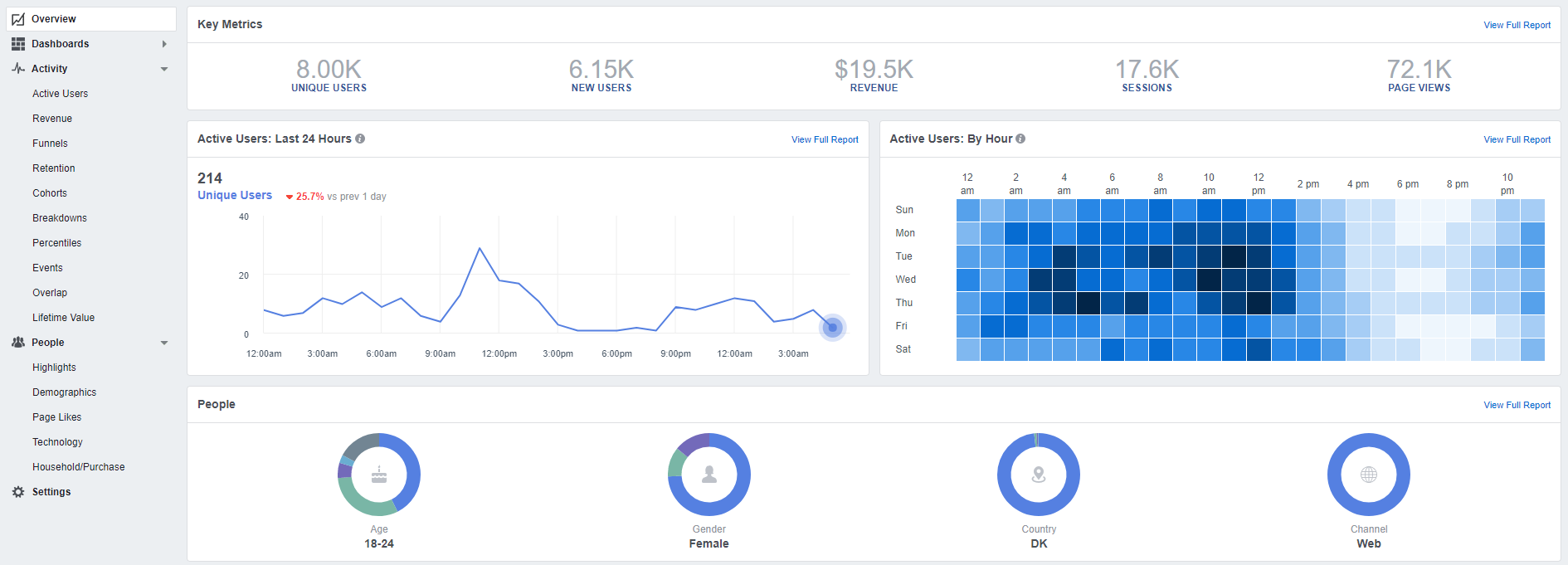
Meta Analytics
Meta (formerly Facebook) Analytics is a tool that collects data from your apps, pixels, Facebook pages, paid channels, and offline lists. Meta (formerly Facebook) likely has more data on its users than any other platform in the world. Despite this, it is important to emphasise that the tool cannot fully replace Google Analytics. It should be used as a supplement.
Cookie-based tracking
The main difference between Google Analytics and Meta (formerly Facebook) Analytics is the way these tools track data. Google tracks user behaviour on your website using cookies. A cookie is a small text file that a website places on the device you use to visit it.
This means that if you visit wemarket-digital.com from your mobile phone, our website will place a cookie on your mobile. If you then visit wemarket-digital.com again to fill in a contact form, but this time from your tablet or PC, the website will place new cookies on those devices too.
Google is therefore unable to track across devices. In other words, Google does not know that your visits from mobile, PC, and tablet are visits made by the same person. As a result, these visits will appear as separate sessions rather than parts of the same customer journey. This does not give you an accurate picture of your data.
People-based tracking
This is where Meta (formerly Facebook) Analytics really shines. Meta (formerly Facebook) can, to a large extent, track users across devices. Instead of tracking by device, Meta (formerly Facebook) tracks via open Facebook profiles. As you are often logged into your Facebook profile on your mobile, tablet, and PC, Meta (formerly Facebook) can recognise that the various visits to wemarket-digital.com come from the same person. This gives you a more reliable data foundation.
If you have a webshop with a Facebook pixel installed, you will now be able to measure revenue per person, not just per device.
Customer Lifetime Value
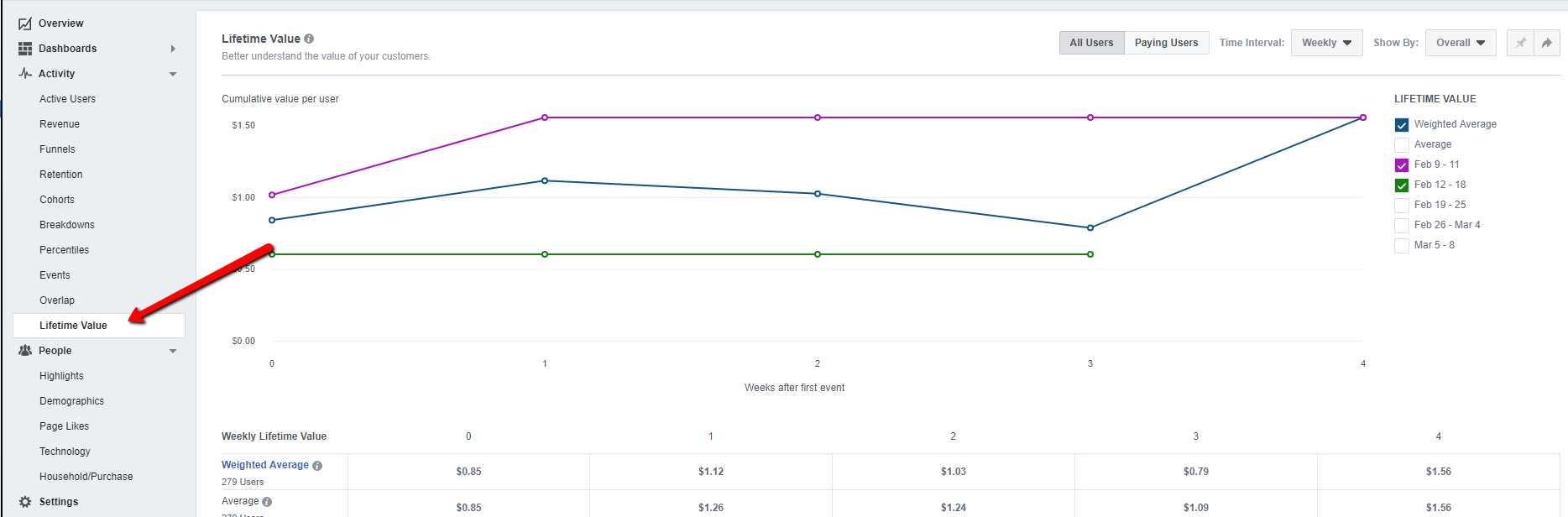
Because Meta (formerly Facebook) is not limited by cookies, Meta (formerly Facebook) Analytics can better show you your customers’ lifetime value. Your relationship with the customer begins with the first purchase. Based on Meta (formerly Facebook) data, you will be able to predict the long-term value of your customers. For example, you can see the average revenue generated by a customer who purchases in week 0 in weeks 8 and 9. You can also assess what value a purchase has for your business after, say, six months.
You can find an overview of your customers’ lifetime value in the left-hand menu, as shown in the image below:
Meta (formerly Facebook) Analytics is also clever because the data you receive on your visitors is no longer limited to their behaviour on your website alone.
In Meta (formerly Facebook) Analytics, you can create funnels that track different events, such as those leading up to a sale or a completed contact form. You can also do this in Google Analytics. BUT Meta (formerly Facebook) knows how many of your customers, before visiting your website, engaged with a Facebook post – and this can add a whole new layer to your data.
With this additional data layer, you can gain insights into how effective your marketing on Facebook is and then make adjustments that make sense.
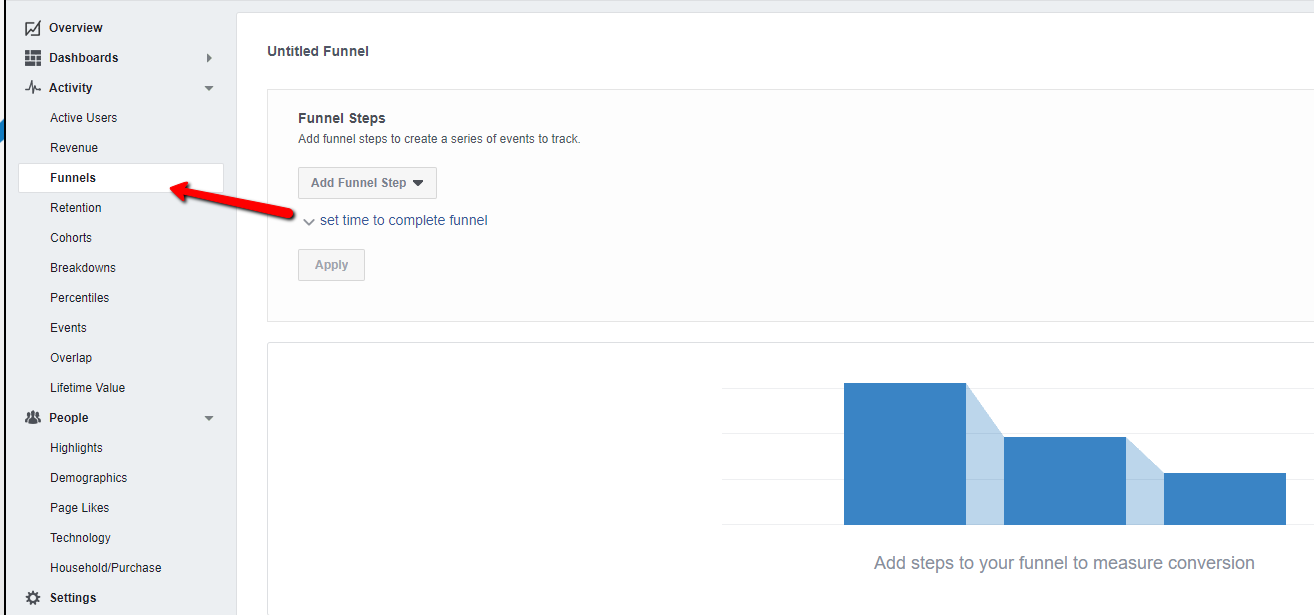
You create a funnel in Meta (formerly Facebook) Analytics by clicking on Funnels in the left-hand menu, as shown in the image above. Once you have clicked on ‘Create Funnel’, you can choose the steps you want Meta (formerly Facebook) to track.
Meta Attribution
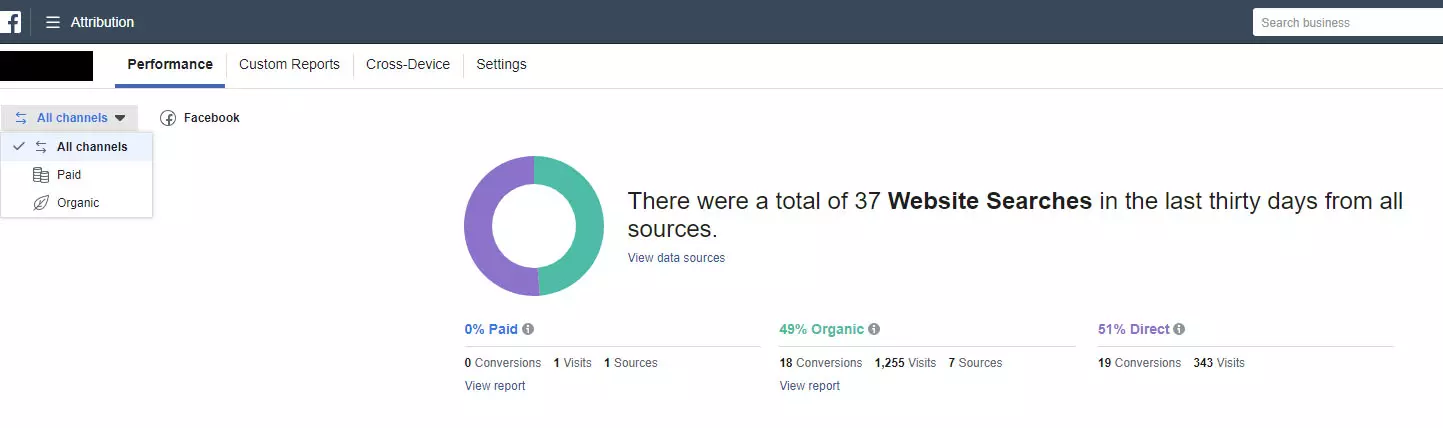
Attribution is always a challenge – which channel should really get the most credit for your conversions? Meta (formerly Facebook)? Google? Or perhaps something else entirely? It can still be difficult to answer, but Meta (formerly Facebook) has now made it easier for you.
You now have the opportunity to connect all your platforms (for example, Bing, Yahoo, Google) to Meta (formerly Facebook) Analytics and thereby get a more complete picture of the conversion journey on your website. This is done under Meta (formerly Facebook) Attribution:
Explore further
Meta (formerly Facebook) Analytics has a host of other useful features, too many to cover here. Therefore, I recommend that you simply search for Meta (formerly Facebook) Analytics in your Business Manager and explore your data. If you have previously worked with Meta (formerly Facebook), many of the metrics you find will be familiar.
If you work with Meta (formerly Facebook) Business Manager and find it a bit of a jungle to navigate, you can read Jannick’s excellent blog post on the topic and gain further insight here.
Read more:
Meta advertising – increase brand awareness and boost your sales
Meta Analytics – now as an app


